

The product's shade and actual color may differ from what is shown in the picture, as the images are for illustrative purposes. The product description is general and may not include all the product's features.
Oem Thermostat XH-W3001-12VDC measurement range from -50°C to 110°C
5035671 ABC-9702
5904384712533
Shipping 5-9 b.d.
All about the product
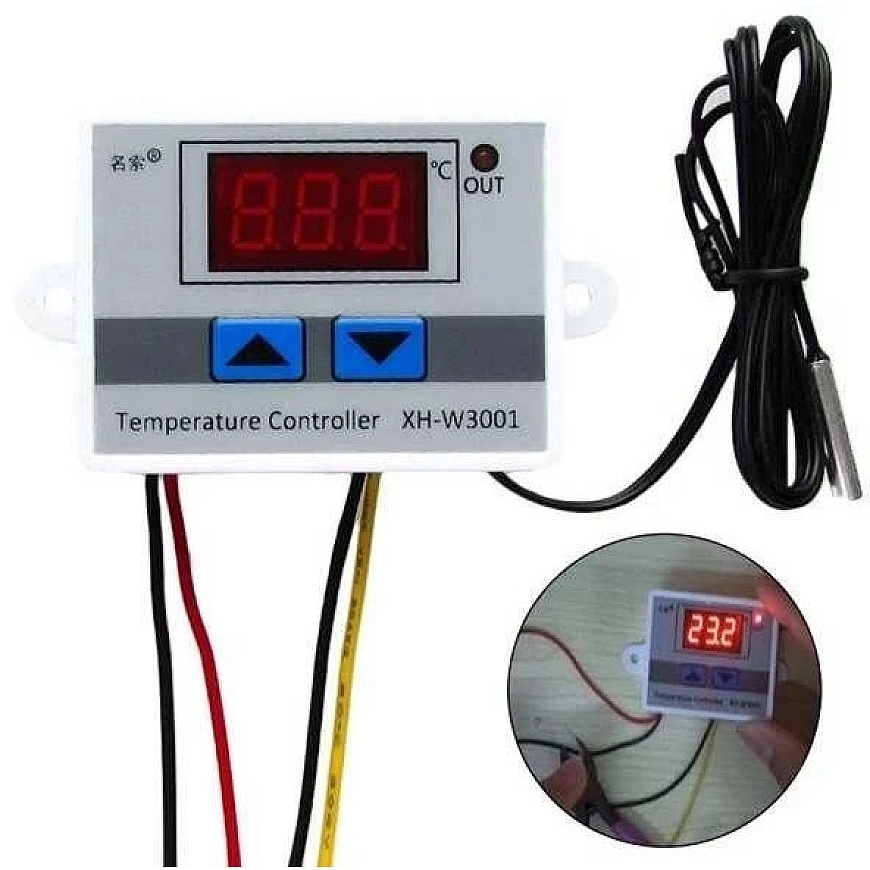
The XH-W3001-12VDC heater controller with temperature sensor is a solution used in various projects where air temperature control is needed, such as in saunas or homes. The thermostat features a red LED display that shows the set and current temperature. A significant advantage of the device is its wide measurement range: from -50°C to 110°C.
Specifications and Features:
- Integrated waterproof NTC10K sensor with cable
- Sensor cable length: ~100 cm.
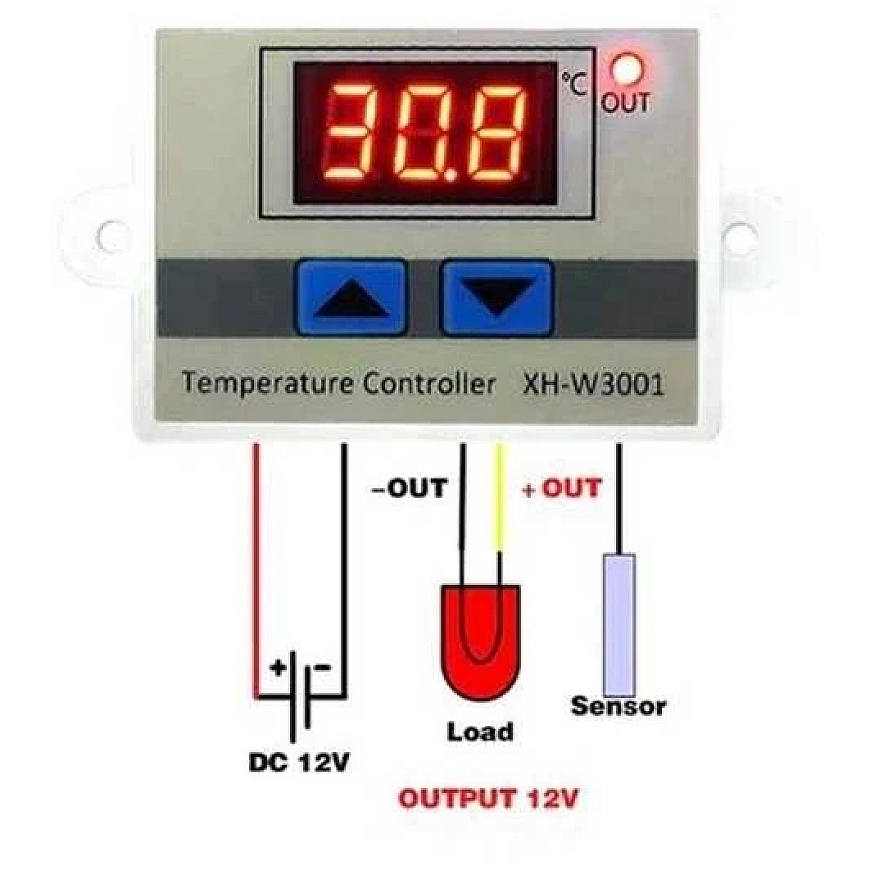
- Output: relay - diagram provided on the housing
- Temperature measurement range: from -50°C to 110°C
- Maximum relay load current: 1500W
- Measurement error: ± 0.1°C
- Adjustment accuracy: 0.1 ° C
- Power supply: 12V
- Supplied voltage and current: 10A 12VDC
- Overall dimensions of the device: 60x45x30mm
Control:
To set the upper temperature range, press and hold the up arrow, then use the up and down arrows to set the desired temperature. After a while, the thermostat returns to the current temperature, saving the setting. The lower range is set similarly by holding the down arrow. After setting the range, it is recommended to restart the device by disconnecting power for a few seconds.
Programming:
Setting the turn-on temperature for the device connected to the controller (start):
Hold the button down for 3 seconds to enter temperature editing mode – the display should start flashing. In edit mode, you can set the desired temperature using the ^ and ˇ buttons. After setting the temperature, do not touch the buttons for 3 seconds to save the set temperature.
Setting the turn-off temperature for the device connected to the controller (stop):
Hold the button down for 3 seconds to enter temperature editing mode – the display should start flashing. In edit mode, you can set the desired temperature using the ^ and ˇ buttons. After setting the temperature, do not touch the buttons for 3 seconds to save the set temperature.
To check the set turn-on temperature (start) or target temperature (stop), press the button once.
Start temperature ^ START lower than stop temperature ˇ STOP – HEATING MODE
Turn-on temperature ^START higher than turn-off temperature ˇSTOP - COOLING MODE.
Red wire: power (black - neutral).
Yellow wire: receiver controlled by the thermostat (black - neutral).
