



-12%
The product's shade and actual color may differ from what is shown in the picture, as the images are for illustrative purposes. The product description is general and may not include all the product's features.
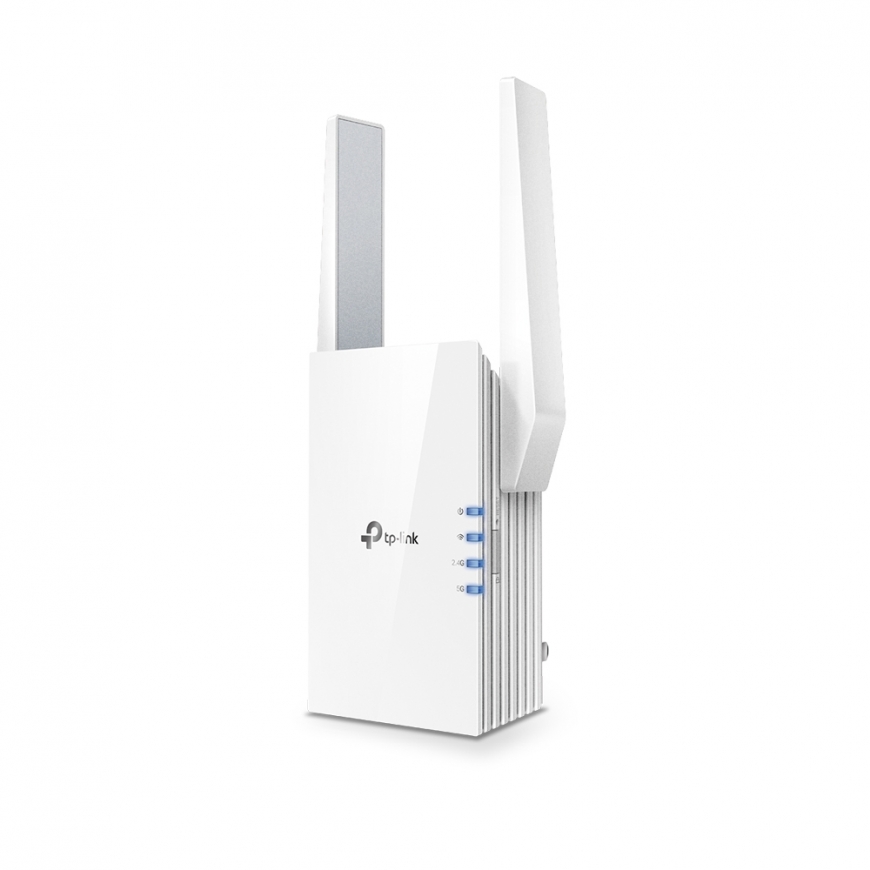
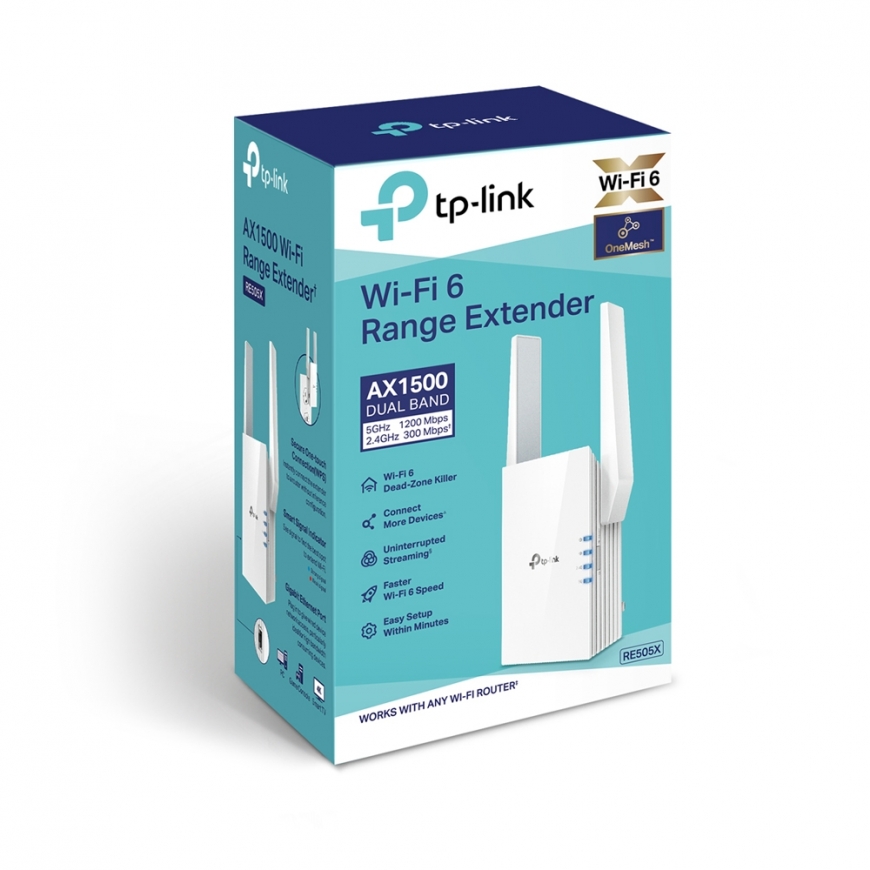
TP-Link AX1500 Wi-Fi Range Extender
62,02 €
54.75 €
Monthly payment from 2,31 €
760945 RE505X V1
6935364089511, 0000012299515, 0840030700422, 1210002614092, 6935364053406, 6935364089535
2026-09-29
You are interested in this product?
All about the product
Expand Coverage of the Fastest Next-Gen Wi-FiAX1500 Range Extender
Cutting-Edge Wi-Fi 6
The latest Wi-Fi technology eliminates annoying lag, endless loading, and dead spots. Enjoy the future of faster network loads and more connections.
Fill Every Inch of Your Home with Wi-Fi 6
The 505X wirelessly connects to your router, boosting your Wi-Fi 6 signal throughout your home so you can binge watch your favorite show anywhere.
Dual Band, More Benefits
Adaptive Path Selection
Keeps your network running at top-speed by automatically choosing the fastest connection path to the router.
High Speed Mode
Use both Wi-Fi bands to enjoy super-fast connections —ideal for HD streaming and gaming.
Built-In Access Point Mode
RE505X is more than just a wireless range extender.
Simply plug an Ethernet cable into its port to easily turn that wired connection into a high-speed dual band wireless signal.
TP-Link OneMesh
OneMesh is a simple way to form a Mesh network with a single Wi-Fi name for seamless whole-home coverage. Just connect a OneMesh range extender to a OneMesh router. No more searching around for a stable connection.
Smart Roaming
Uninterrupted streaming when moving around your home
One Wi-Fi Name
No more switching Wi-Fi network names
Easy Creation
OneMesh Router and OneMesh Range Extenders pair instantly
Unified Management
Manage the entire network all from the TP-Link Tether app
Enjoy an AX Mesh Network with Your Existing Router
Want a Mesh network? Hesitating whether you should replace your current router with a new Mesh set? Update your existing TP-Link router’s firmware to the OneMeshTM version—no need to replace anything. Connect the RE505X to the router. Enjoy your Mesh network.
Control at Your Fingertips
Set up and manage your Wi-Fi through the TP-Link Tether app from your smartphone (Android, iOS), including TP-Link routers and range extenders.
Features
| Wi-Fi | Yes |
| Product colour | White |
| Wi-Fi standards | 802.11a; 802.11b; 802.11g; Wi-Fi 4 (802.11n); Wi-Fi 5 (802.11ac); Wi-Fi 6 (802.11ax) |
| Width | 74 mm |
| Depth | 46 mm |
| Height | 124.8 mm |
| Data transfer rate | 1200 Mbit/s |
| Type | Network repeater |
| Package type | Box |
| Package width | 202 mm |
| Package depth | 125 mm |
| Package height | 97 mm |
| Package weight | 400 g |
| Windows operating systems supported | Windows 7; Windows 7 x64; Windows 8; Windows 8 x64; Windows Vista; Windows Vista x64; Windows XP; Windows 10; Windows 10 Education; Windows 10 Education x64; Windows 10 Enterprise; Windows 10 Enterprise x64; Windows 10 Home; Windows 10 Home x64; Windows 10 IOT Core; Windows 10 Pro; Windows 10 Pro x64; Windows 7 Enterprise; Windows 7 Enterprise x64; Windows 7 Home Basic; Windows 7 Home Basic x64; Windows 7 Home Premium; Windows 7 Home Premium x64; Windows 7 Professional; Windows 7 Professional x64; Windows 7 Starter; Windows 7 Starter x64; Windows 7 Ultimate; Windows 7 Ultimate x64; Windows 8 Enterprise; Windows 8 Enterprise x64; Windows 8 Pro; Windows 8 Pro x64; Windows XP Home; Windows XP Professional; Windows 8.1; Windows 8.1 Enterprise; Windows 8.1 Enterprise x64; Windows 8.1 Pro; Windows 8.1 Pro x64; Windows 8.1 x64; Windows Vista Business x64; Windows Vista Enterprise; Windows Vista Enterprise x64; Windows Vista Home Basic; Windows Vista Home Basic x64; Windows Vista Home Premium; Windows Vista Home Premium x64; Windows Vista Ultimate; Windows Vista Ultimate x64; Windows XP Home x64; Windows XP Professional x64; Windows 2000; Windows 2000 Professional; Windows 98SE; Windows Vista Business; Windows 10 x64; Windows 10 IoT Enterprise |
| Mac operating systems supported | Yes |
| Quick start guide | Yes |
| Manual | Yes |
| Certification | FCC, RoHS |
| Ethernet LAN (RJ-45) ports | 1 |
| Ethernet LAN data rates | 10; 100; 1000 |
| Networking standards | IEEE 802.11a; IEEE 802.11ac; IEEE 802.11b; IEEE 802.11g; IEEE 802.11n; IEEE 802.11ax |
| LED indicators | Power; WAN; WLAN |
| AC input voltage | 100 - 240 V |
| Mac compatibility | Yes |
| On/off switch | Yes |
| AC input frequency | 50 - 60 Hz |
| Power consumption (max) | 10 W |
| Antenna type | External |
| Security algorithms | WPA-PSK; WPA2-PSK; 64-bit WEP; 128-bit WEP |
| Linux operating systems supported | Yes |
| Browser supported | Internet Explorer 11, Firefox 12.0, Chrome 20.0, Safari 4.0, or other Java-enabled browser |
| Harmonized System (HS) code | 85176990 |
| Cabling technology | 10/100/1000Base-T(X) |
| Reset button | Yes |
| Wi-Fi band | Dual-band (2.4 GHz / 5 GHz) |
| Antennas quantity | 2 |
| Wi-Fi data rate (max) | 1300 Mbit/s |
| Compliance certificates | RoHS |
