



The product's shade and actual color may differ from what is shown in the picture, as the images are for illustrative purposes. The product description is general and may not include all the product's features.
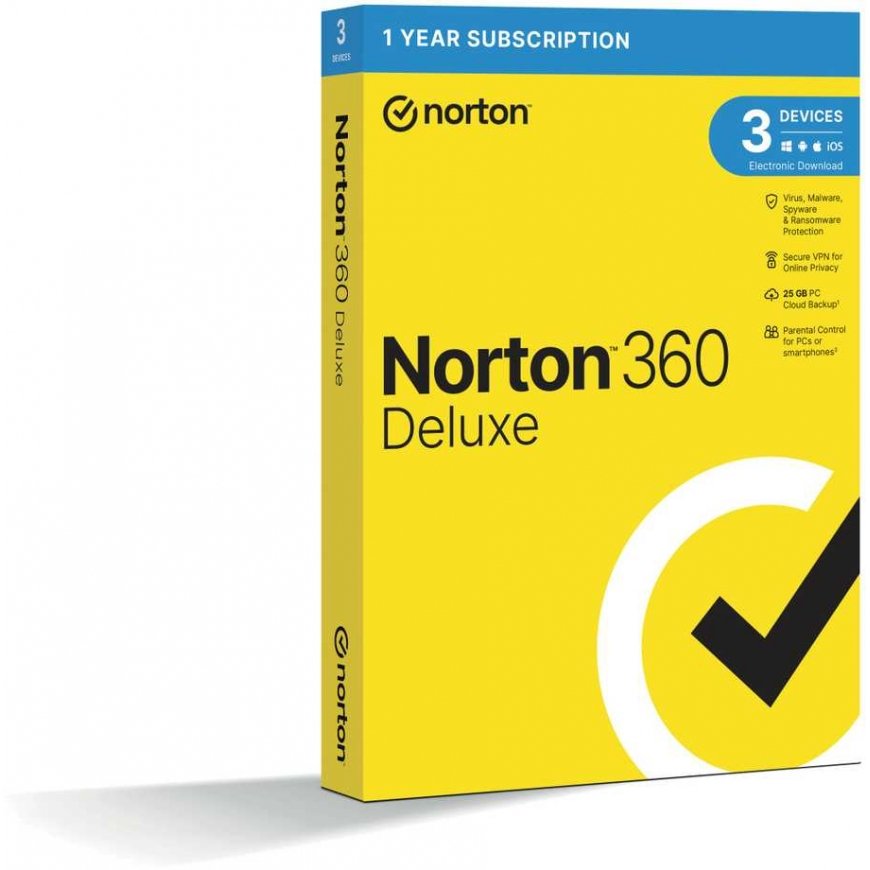
Nortonlifelock NORTON 360 DELUXE 25GB CZ 1 user, 3 devices, 12 months, box
3807599 21416704
5397231008963
Shipping 7-12 b.d.
All about the product
Box – license for 3 devices for 12 months. Installation procedure. Visit the website: https://www.norton.com/setup. Create a Norton account or log in to an existing account. Enter the purchased 25-digit license number. You will find the license number inside the box. Follow the on-screen instructions to download and install the purchased Norton product. To update, open the product, at the top right – Help – Account Information – Enter product code. The Norton 360 product also includes: VPN protection, backup port, starting from the standard version, SafeCam – protection for your camera, enhanced firewall filter. Features Protection for connected devices Install protection for up to 3 personal computers, Mac, iOS, and Android devices. Real-time threat protection Advanced security that helps protect your devices from existing and emerging malware and safeguards your personal and financial information. Secure VPN Browse anonymously and safely using a no-log VPN. Add encryption when using online banking to ensure that your information, such as passwords and bank details, is secure and private. VPN is not available in English. It is only available in English. Password manager: tools to easily create, store, and manage passwords, credit card information, etc. – more securely. SafeCam: instantly alerts you to any attempt to access your webcam and helps block unauthorized access. Smart firewall for personal computers or Mac: monitors the connection between your computer and other computers and helps block unauthorized traffic. 25 GB computer backup in the cloud (depending on the product type) Automatic, secure cloud backup for your computer – keep and help protect important files as a precaution against hard drive failures, device theft, and even ransomware. Requires your device to be connected to the internet. Parental controls Only available for Deluxe and Premium versions. Installation: if you purchased any of the Norton by Symantec products and activated a NEW LICENSE: go to: norton.com/enroll create a Norton account or log in to an existing account enter the purchased 25-digit license number follow the on-screen instructions to download and install the purchased Norton product You can install the product on your device or send a download link to other devices (if you purchased a multi-device version) If you purchased a Norton by Symantec product and want to RENEW AN EXISTING LICENSE: go to RENEW directly in the product. There, select Help Center and choose enter product code Enter the purchased 25-digit license number System requirements Not all features are available All platforms Supported operating systems Microsoft Windows 10 (except Windows 10 S), 8/8.1 (some security features are not available in Windows 8 start screen browsers), 7 (with 1 service pack or newer) Current and two previous Mac OS versions Android 6.0 or newer version. Google Play app installation required Current and two previous iOS versions (iPhone or iPad) Secure VPN – supported systems: Microsoft Windows 10, 8, 8.1, 7 (with 1 service pack or newer) Current and two previous Mac OS versions Android 6.0 or newer version / Current and two previous iOS versions (iPhone or iPad) How does the NEW Norton 360 differ from Norton Security? NEW Norton 360 plans are designed to provide multiple layers of protection you need against existing and emerging cyber threats. They include: Secure VPN application – helps protect your connection to public Wi-Fi networks Password manager for storing and managing passwords SafeCam feature for computers that helps block unauthorized access to your webcam Cloud backup for your computer or multiple storage options (depending on the product type)
