



The product's shade and actual color may differ from what is shown in the picture, as the images are for illustrative purposes. The product description is general and may not include all the product's features.
BLEBOX doorbox - STEROWNIK FURTEK I DRZWI
2874123 DoorBox
5900168580251
2026-07-31
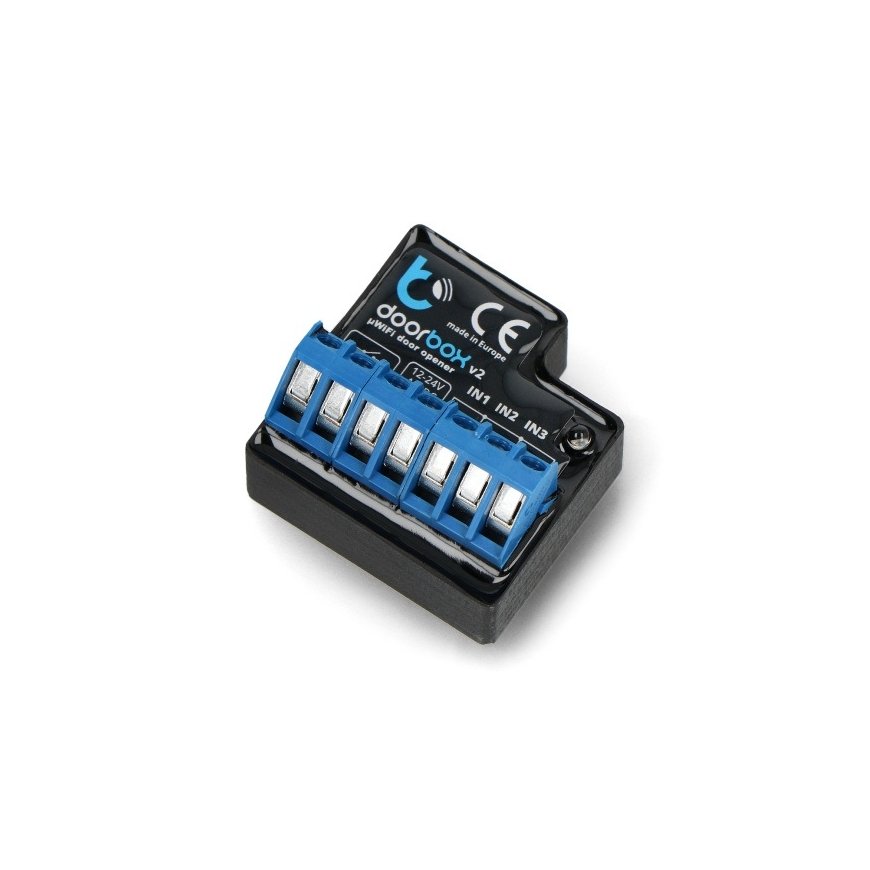
Blebox DoorBox wifi door controller
Blebox DoorBox module that allows you to close/open doors, gates and check their status via a Wi-Fi network using a smartphone app from anywhere in the world. To use BleBox, it is enough to configure the device through a web browser. It operates from 12 V to 24 V / 5 A.
With Blebox DoorBox, you will be able to control electromagnetic locks and shutters, turn them on or off, and see in real time whether the door is locked or unlocked. You can also additionally use the button to unlock the door or the remote control uRemote (Blebox).
You can optionally connect sensors to this module, with the help of which you can see whether the door is open or closed.
Blebox DoorBox connection diagram.
Before installing the Blebox DoorBox controller, disconnect the power supply to the circuit where it will be installed. The controller should be placed in a place protected from external conditions and protected from direct access.
The module has screw connections to which the cables should be connected with a screwdriver:
Relay outputs - output for connecting devices max. 24 V / 5 A.
VIN - Power supply is 12V to 24V
INx - inputs for connecting the sensor
Blebox DoorBox controller configuration
To configure, you need to connect to the network of the wireless device "name-xxxxxxxx", then you need to download the app wBox - Control Everything from Android Play Store or AppStore. After launching the app, your device will be displayed at the top of the screen with a "+" sign next to the name. To initially configure the device, you must click on the default device name.
Configuration is also possible via a web browser using HTML5. To do this, enter the IP number of the device assigned to it by DHCP in the address bar, e.g. http://192.168.4.1 .
| Power supply voltage: | 12-24V AC/DC |
|---|---|
| Energy consumption: | less than 1W |
| Number of outputs: | 1 |
| Type of control outputs: | relay |
| Load current consumption: | max 5 A |
| Load power: | up to 1000 W |
| Number of sensor inputs: | 3 |
| Communication standard: | µWiFi compatible with 2.4 GHz wi-fi |
| Duplex Transmission Type: | encrypted |
| Operation mode | direct connection (as an access point), Wi-Fi connection through a standard router, connection with access from anywhere on the Internet |
| Compatible devices: | iPhone, iPad, iPad Mini, Android, PC and mobile devices with HTML5 support |
| Dimensions: | 42 x 39 mm |
| Maximum load: | 6A 24V AC 6A 24V DC |
| Maximum power: | 144VA @ 24V AC 144W @ 24V DC |