






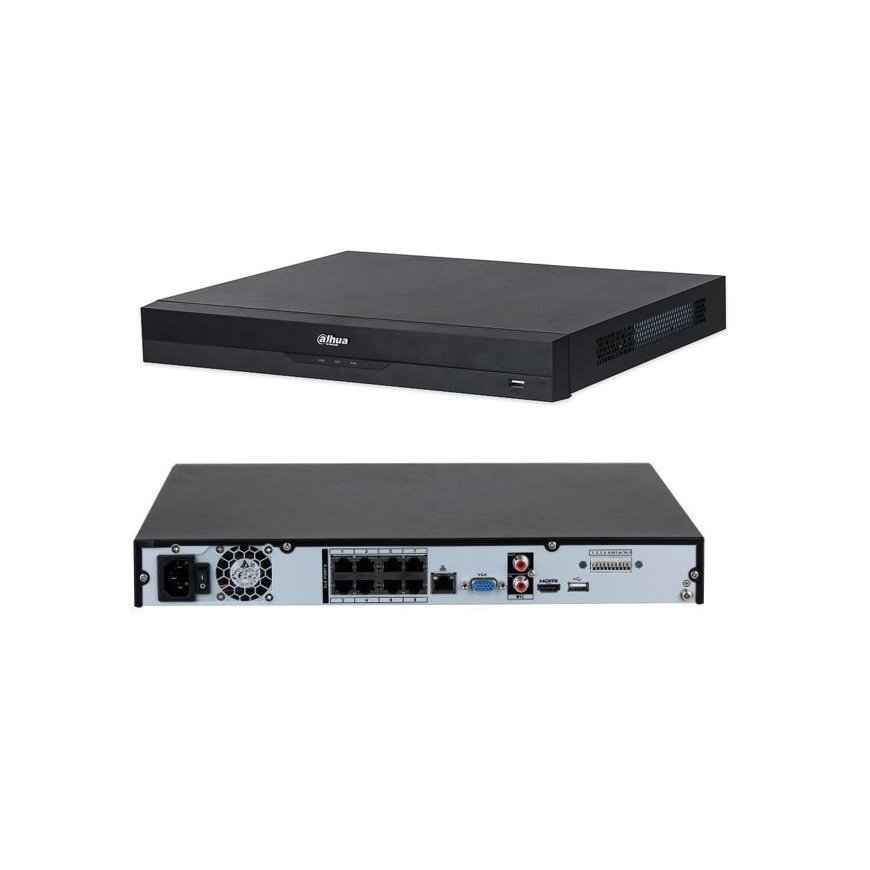
Toote toon ja tegelik värvus võivad erineda pildil kujutatust, kuna pildid on illustratiivse iseloomuga. Samuti on toote kirjeldus üldine ega pruugi sisaldada kõiki toote omadusi.
NET VIDEO RECORDER 8CH 8POE/NVR4208-8P-EI DAHUA
255.59 €
Kuumakse alates 7,48 €
2346821 NVR4208-8P-EI
6923172585851
Tarneaeg 2-4 t.p.
Kauba vastu huvi?
Kõik toote kohta
A network recorder with advanced video analysis features.
| Standard : | TCP/IP |
| Supported resolutions : | max. 16 Mpx - 4608 x 3472 px |
| Video output : | 1 pc. HDMI 4K 1 pc. VGA |
| Audio service : | 8 Channels - Sound from cameras Support for two-way audio streaming |
| Audio inputs : | 1 pc. CINCH |
| Audio outputs : | 1 pc. CINCH |
| Image compression method : | Smart H.265+ / H.265 / Smart H.264+ / H.264 / MJPEG |
| Bandwidth (bitrate) : | max. 256 Mbps |
| Supported hard drives : | 2 x 16TB SATA |
| Recording modes : | Manual, alarm, motion detection, schedule |
| Archiving on external media : | Archiving to a USB device (pendrive, external disk) |
| Search and restore records : | Search records by time and event type. Audition: forward, backward, speed up, slow down Advanced search (accurate to the second) Smart Playback function Recording playback from max. 8 cameras simultaneously @ 4 Mpx (no AI) Recording playback from max. 8 cameras simultaneously @ 1080p (AI) |
| Network interface : | 1 x RJ-45 10/100/1000 Base-TX |
| Network Features : | Full network service, Remote copy of records, Integrated web server |
| Network protocols : | HTTP, HTTPS, TCP/IP , IPv4/IPv6 , UPnP, SNMP, UDP, SMTP, NTP, DHCP, DNS, IP Filter, PPPoE, DDNS, FTP, Alarm Server, IP Search, P2P, Auto Register |
| ONVIF : | 22.06 |
| Default IP Address : | 192.168.1.108 |
| Estimated User Fig. / admin password : | admin / - The administrator password must be entered at first power-up |
| Access from a mobile phone : | Port: 37777 or cloud access Android: Free app iOS (iPhone): Free app Watch the video on how to configure P2P in Dahua recorders and how to activate the mobile application |
| Access port via www : | 80, 37777 |
| Access port through the program to PC : | 37777 |
| Access port via mobile application : | 37777 |
| RTSP URL : | rtsp://admin:[email protected]:554/cam/realmonitor?channel=1&subtype=0 - Main Stream rtsp://admin:[email protected]:554/cam/realmonitor?channel=1&subtype=1 - Auxiliary stream |
| USB : | 2 pcs. USB 2.0 |
| Serial Ports : | - |
| Alarm inputs/outputs : | 4 / 2 |
| PTZ Control : | IP cameras, speed domes (Speed Dome) |
| Motion detection : | ✔ |
| Advanced Video Analysis : | ✔ |
| Selected features : | Advanced video analysis: line crossing , intrusion , scene change , face detection SMD PLUS - classified object search: human, motor vehicle Filtering false alarms based on person and vehicle recognition Quick Pick - technology allows the recorder to quickly identify objects of interest (people/vehicles) based on an artificial intelligence algorithm. It allows you to distinguish and compare the colors of clothing and vehicles Face recognition Facial analysis: determination of gender, age, and appearance-specific elements (glasses, beard, mask) Support for up to 10 face databases, together with 20,000 face photos In addition to face photos, such information as: surname, gender, date of birth, nationality, ID can be stored in the database. Intelligent face search based on data from various objects or sending face photos to the device and comparing them with stored faces based on similarity Privacy zones The functions are performed in cooperation between the recorder and the video cameras serving the following functions: ANPR counting people heat map |
| Mouse Service : | ✔ |
| IR remote in the kit : | - |
| Switch PoE : | Integrated 8-port PoE switch, 25.5 W / Channel - PoE (802.3af/at) |
| Maximum total switch load : | 130 W |
| Feed : | 100 ... 240 V AC / 47 ... 63 Hz |
| Power consumption : | max. 10 W (without HDD) |
| Working temperature : | -10 °C ... 55 °C |
| Weight : | 2.51 kg |
| Dimensions : | 375 x 329 x 53 mm |
| Languages served : | Polish, English, Bulgarian, Czech, Finnish, Greek, Romanian, Serbian, Slovenian, Hungarian |
| Manufacturer / Brand : | DAHUA |
| Warranty : | 3 years |